Trains, Visas, And Laptops

by Dave on March 8, 2008 · 19 comments

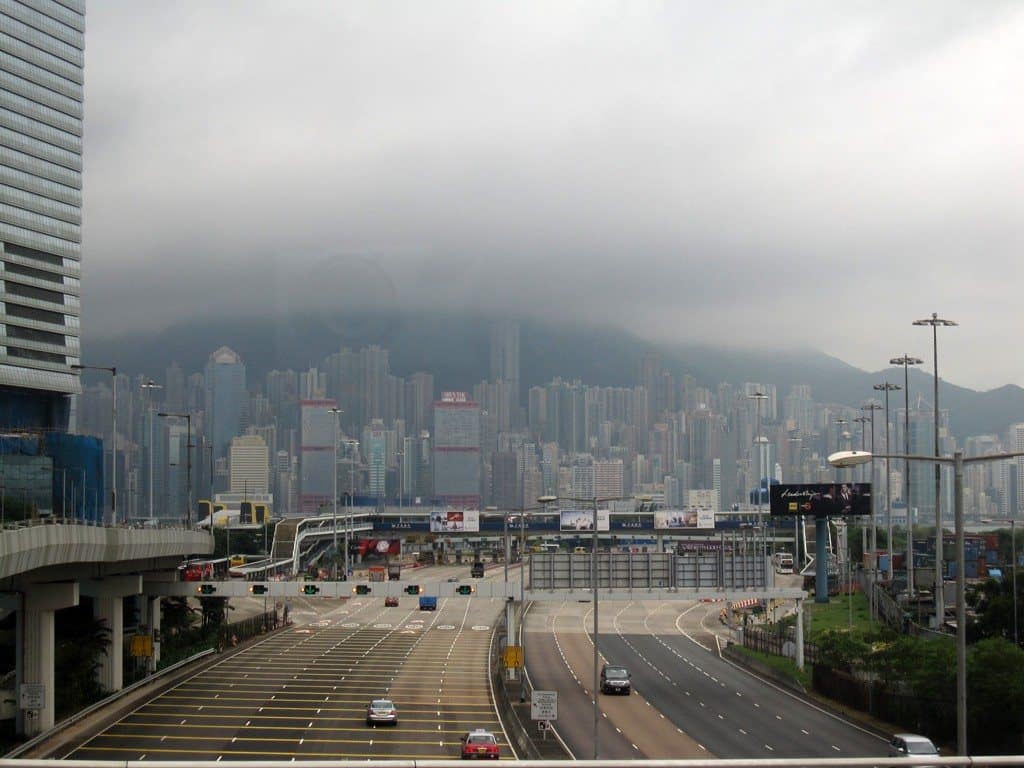
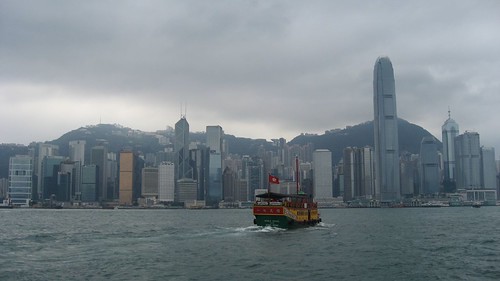
Hong Kong Skyline

I pried myself out of bed early to drop off my Visa application at the Indian consulate on Hong Kong Island. The errand afforded me my first trip on the Mass Transit Rail (MTR). I bought an Octopus card which is a renewable debit card for Hong Kong’s public transit system, as well as a way to buy stuff at random places like McDonald’s and 7-11.

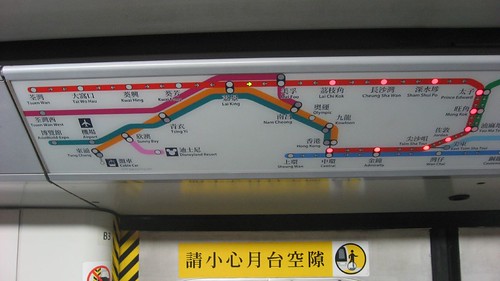
Train map

The MTR is awesome, I could hardly think of what more I’d want from a train system. It was fast, comfortable, impeccably clean, and had tons of clearly labeled maps. My favorites were the ones inside the cars, above each door, which lit up the next stop, along with a green arrow showing the heading, and a light to indicate which side of the train to exit from.

After some initial elevator confusion, I managed to drop my Visa application off, paying the $35 fee to have my records checked out back in the USA. I was instructed to come back at the end of the week (Friday AM) to pay the Visa cost, and then between 5-5:30pm Friday to collect my passport (they worked off a copy until Friday AM).
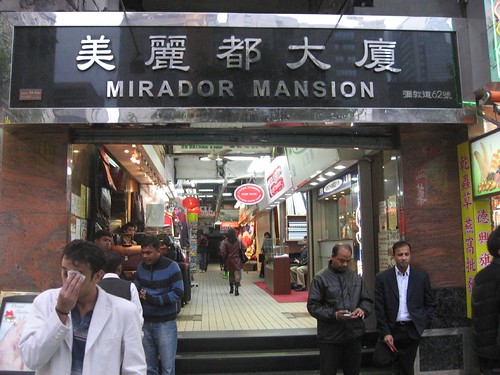
Mirador Mansion entrance

I triumphantly returned to Mirador after my successful navigation of the city, and bumped into Adam using a tiny laptop, the Asus Eee PC. I immediately barraged him with a list of questions about it as a desire to buy one myself built up. It has a 7″? screen, weighs less than 1.1lbs (1kg), has 4gb of memory, wi-fi, a web cam, and runs on Linux. While he got his in England, he estimated they’d cost around $300 in Hong Kong. It is built for web browsing, email, and basic applications. I had considered the idea of getting a laptop in Singapore after meeting Gary back on Bali several weeks earlier. I was feeling self-conscious about the amount of money I was spending in internet cafes. The Asus laptop aptly addressed my concerns about size, weight, and cost.

About the Author:

is the author of 1572 posts on Go Backpacking.

Dave (Editor-in-Chief) blogged his way around the world from 2007-2009, and then started Travel Blog Success to teach others how to do the same. When not writing, he can be found salsa dancing in Medellin. Follow him on Twitter @rtwdave or look for him on Google+

The Travel Blog Success community offers practical resources and personal support to help you build a better travel blog.

Whether you treat blogging as a hobby, or dream of building a location independent business, you'll learn what's required to create a name for yourself in the online travel world.

Benefits of Joining:

  1. Personal support from Dave, including site critiques and tips on negotiating advertising deals.
  2. Ability to learn from others' mistakes, and save yourself time, energy and money.
  3. Chance to network with other travel bloggers of all levels, from around the world.

Click here to learn more.

Categories: Hong Kong

19 Comments

crambox March 8, 2008 at 6:18 am

If anywhere is a good/great place to get the Eee Pc at a great price there is it!! you can always sell it further down the road if its too heavy :wink: or too bulky.. good luck

Reply

crambox March 8, 2008 at 1:18 am

If anywhere is a good/great place to get the Eee Pc at a great price there is it!! you can always sell it further down the road if its too heavy :wink: or too bulky.. good luck

Reply

Alan March 8, 2008 at 10:36 am

Yes the EeePc Rocks, I’m gonna buy one for my travel in Australia later this year, instead of taking my laptop, but I will wait this summer for the new version with a bigger screen.

Anyway, if you buy one, you should consider buying
- a SDHC card: it gives you extra storage, you just put it in the Asus, cost around $40 in the USA for a 8Gb, very handy to store music and pictures. If you want to store some movies, you might have a look at the 16Gb SDHC, but it costs already $80, almost the price of an external Hard drive.
- a 1Gb 667MHz DDR2 memory, to replace the original 512Mb memory of the Asus, cost around $25 in the USA

If you ever find one of those at a cheaper price, they are 2 great add-ons to the EeePc.

Reply

Dave March 10, 2008 at 5:51 am

Thanks for the upgrade tips. Since I don’t intend to use the computer to download music and videos much, I’m content with the default setup for now. In the future, I may want to pimp it out though. :)

Reply

Alan March 8, 2008 at 3:36 pm

Yes the EeePc Rocks, I’m gonna buy one for my travel in Australia later this year, instead of taking my laptop, but I will wait this summer for the new version with a bigger screen.

Anyway, if you buy one, you should consider buying
- a SDHC card: it gives you extra storage, you just put it in the Asus, cost around $40 in the USA for a 8Gb, very handy to store music and pictures. If you want to store some movies, you might have a look at the 16Gb SDHC, but it costs already $80, almost the price of an external Hard drive.
- a 1Gb 667MHz DDR2 memory, to replace the original 512Mb memory of the Asus, cost around $25 in the USA

If you ever find one of those at a cheaper price, they are 2 great add-ons to the EeePc.

Reply

Dave March 10, 2008 at 10:51 am

Thanks for the upgrade tips. Since I don’t intend to use the computer to download music and videos much, I’m content with the default setup for now. In the future, I may want to pimp it out though. :)

Reply

Scott S March 8, 2008 at 11:49 pm

Hi,

Using the local transit system is something that I, like most travelers find very daunting. It has to be even more dificult in countries where you don’t speak the language.

Although it is another part of the world, there is a great transportation primer I recently saw about how to use the public transportation system and the taxis in Costa Rica. It was in a blog called Costa Rica HQ.

It described how to get around Costa Rica without a car. In it the blogger explains exactly how to use the bus system. It is explained so well, that even I would consider using the public transportation system there.

I just thought in light of your post on navigating the city and using the public transportation this might be useful.

Scott S.

Reply

Dave March 10, 2008 at 10:53 am

Hi Scott –

Thanks for the tip! Usually I’m OK with the train and longer bus rides. It’s the intra-city bus systems that I find most daunting and usually avoid.

I had no problems going all over Costa Rica in 2005 via bus when I visited for 18 days. Wonderful country!

Reply

Scott S March 8, 2008 at 6:49 pm

Hi,

Using the local transit system is something that I, like most travelers find very daunting. It has to be even more dificult in countries where you don’t speak the language.

Although it is another part of the world, there is a great transportation primer I recently saw about how to use the public transportation system and the taxis in Costa Rica. It was in a blog called Costa Rica HQ.

It described how to get around Costa Rica without a car. In it the blogger explains exactly how to use the bus system. It is explained so well, that even I would consider using the public transportation system there.

I just thought in light of your post on navigating the city and using the public transportation this might be useful.

Scott S.

Reply

Dave March 10, 2008 at 5:53 am

Hi Scott –

Thanks for the tip! Usually I’m OK with the train and longer bus rides. It’s the intra-city bus systems that I find most daunting and usually avoid.

I had no problems going all over Costa Rica in 2005 via bus when I visited for 18 days. Wonderful country!

Reply

Jen March 9, 2008 at 5:44 am

Love the Hong Kong pix. It’s been years since I’ve been there — this made me homesick!

Reply

Dave March 10, 2008 at 10:55 am

I took over 300 photos in my week there – I really enjoyed it. :)

Reply

Jen March 9, 2008 at 12:44 am

Love the Hong Kong pix. It’s been years since I’ve been there — this made me homesick!

Reply

Dave March 10, 2008 at 5:55 am

I took over 300 photos in my week there – I really enjoyed it. :)

Reply

Abdul Samad September 16, 2009 at 4:44 am

I want to buy some cheap electronic gadgets from Hong Kong but am confused which shop should I visit?

Reply

SURINDER PAL September 16, 2009 at 4:47 am

Hi Samad,

If you are looking for electronic goods, it is best to know your product, its price and availability in Hong Kong. Traditionally, this meant walking round the shops to find out whether your particular brand model was available, and if so, its price and the likelyhood it would have an international warranty. This was all very time consuming and you are never sure

whether the price offered was a better deal down the road. I found a Hong Kong based web site providing price information on what seems the most popular electronic goods. So if you are worried about getting ripped off in Hong Kong and there are a number of well publised scams, take a look at ShopCite http://www.shopcite.com to check prices and availabilty before you actually travel. Shopcite even has a mobile phone version so you can check anytime and anywhere while you are moving around in Hong Kong and don't have a computer around to use. With exchange rates, being a problem, you may find it cheaper to buy at home.

Reply

Micki Ciubal October 29, 2010 at 4:26 pm

I absolutely adore reading your blog posts, the variety of writing is smashing.This blog as usual was educational, I have had to bookmark your site and subscribe to your feed in ifeed. Your theme looks lovely.

Reply

laptops for sale October 29, 2010 at 5:20 pm

While we are writing about
Trains, Visas, And Laptops | Go Backpacking , We all know that people prefer branded cheap laptops but if the brand title you like isn’t available, you need to have a second choice of title you like.

Reply

cheap laptops for sale October 29, 2010 at 9:40 pm

As we’re on
Trains, Visas, And Laptops | Go Backpacking , Be aware of that fact that not all brand title laptops are produced equal. For instance, an Apple laptop might cost twice as much as a no-name PC one yet be just as quick. Figure out if you are paying for quality or a model name.

Reply

Leave a Comment

Previous post:

Next post: